
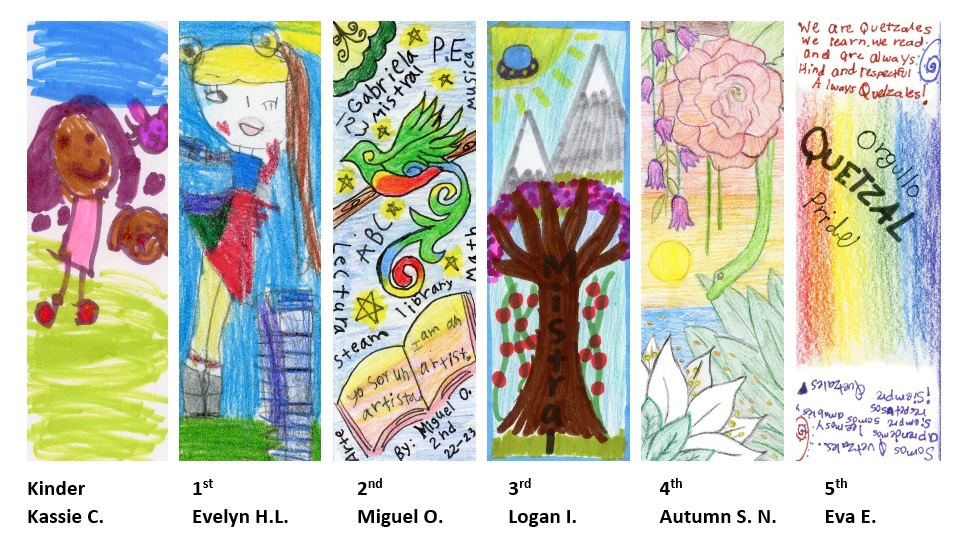
Bookmark Design Contest 2024-2025 Winners:
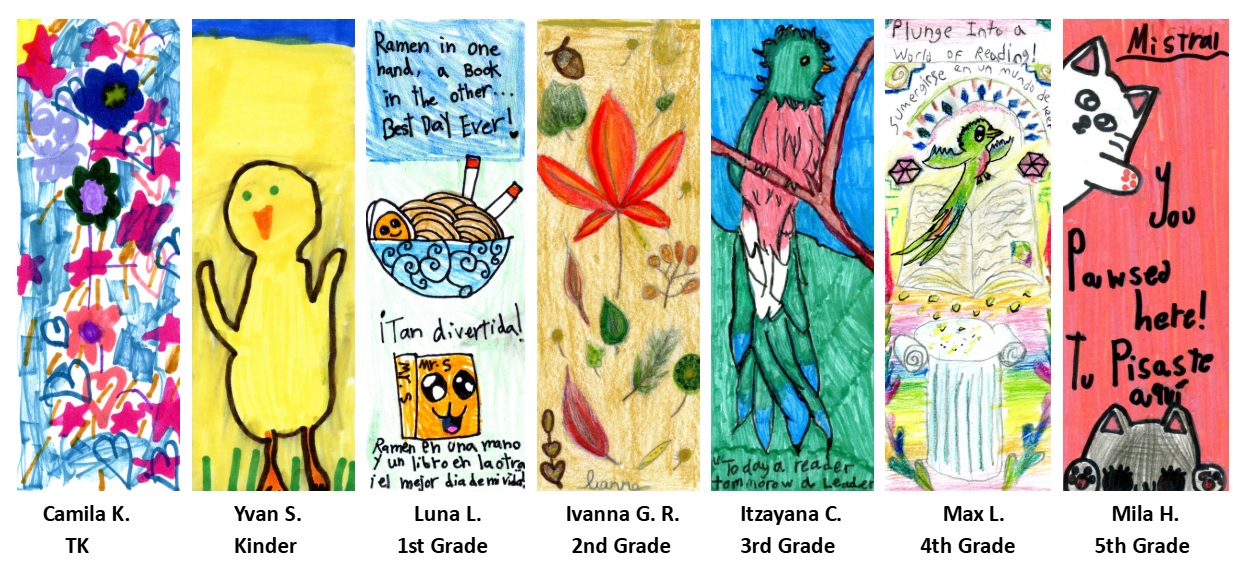
Bookmark Design Contest 2023-2024 Winners:
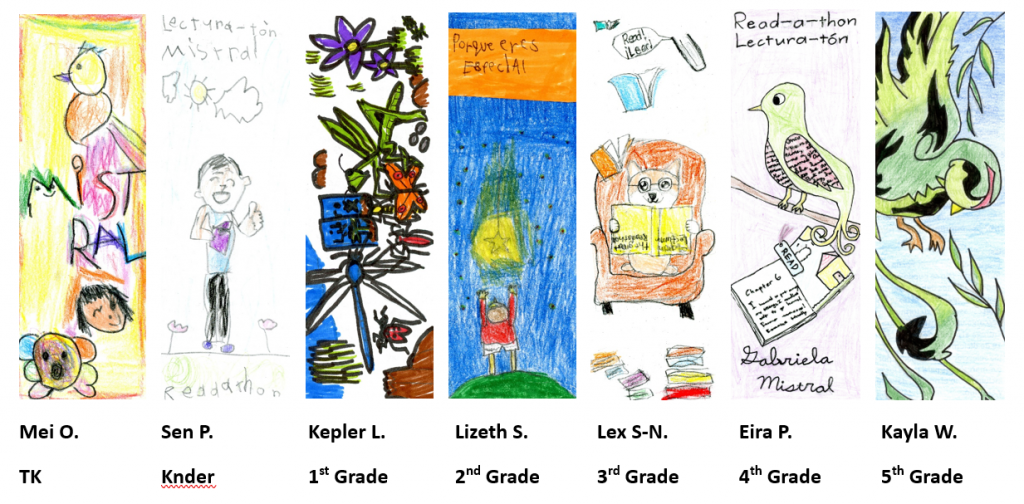
Bookmark Design Context 2022-2023 Winners:

Parent Teacher Association at Gabriela Mistral Elementary School
Bookmark Design Contest 2024-2025 Winners:
Bookmark Design Contest 2023-2024 Winners:
Bookmark Design Context 2022-2023 Winners:
Mistral PTA Walkathon
Friday, October 3, 2:40-6pm
The Mistral PTA Walkathon is our community’s biggest fundraising event of the year! All proceeds go directly towards funding student field trips, school library books, classroom supplies, campus beautification projects, and other classroom enrichment programs.
In the weeks leading up to the Walkathon, students are encouraged to raise funds by collecting pledges from friends and family for walking laps around the school field. On October 3, we will cheer on our students, celebrate our community, and raise funds for our school!
Before the Event:
During the Event:
After the Event:
99Pledges is our online pledge system that allows students to collect donations through custom web pages. Here’s how it works:
Donors can visit the student’s unique web page and make a pledge using a credit card or PayPal. Donation pages are private and only accessible to those who receive the link. Parents and students can track their fundraising progress and send thank-you emails directly from the site.
Students will also receive hard-copy pledge sheets in their Walkathon packets. Collected cash and check donations can be turned in to the Mistral office, and extra forms are available if needed.
Students are encouraged to gather pledges from friends, family, and neighbors to support the laps they’ll walk during the event. It’s a great way for students to stay active while supporting their school, and exciting prizes will be awarded to the top fundraising classes!

How to participate:
Individual Prizes:
BRONZE PRIZE: Read 200 minutes total (100 Spanish + 100 English) à Treat at local store
SILVER PRIZE: Read 400 minutes total (200 Spanish + 200 English) àTreat at local store and a book
Class Prizes:
GOLD PRIZE: 70% of the class participates à Teacher choice
PLATINUM PRIZE: Top three classes with the highest participation à Ms. O class takeover
Commonly asked questions:
Looking for ways you can encourage literacy in your home or help your child find that “just right” book? Check out these resources prepared by the Mistral PTA Literacy Enrichment Committee:
How to Find the Right Book
How to Promote Literacy in your Home
Guest Reader Videos from 2021
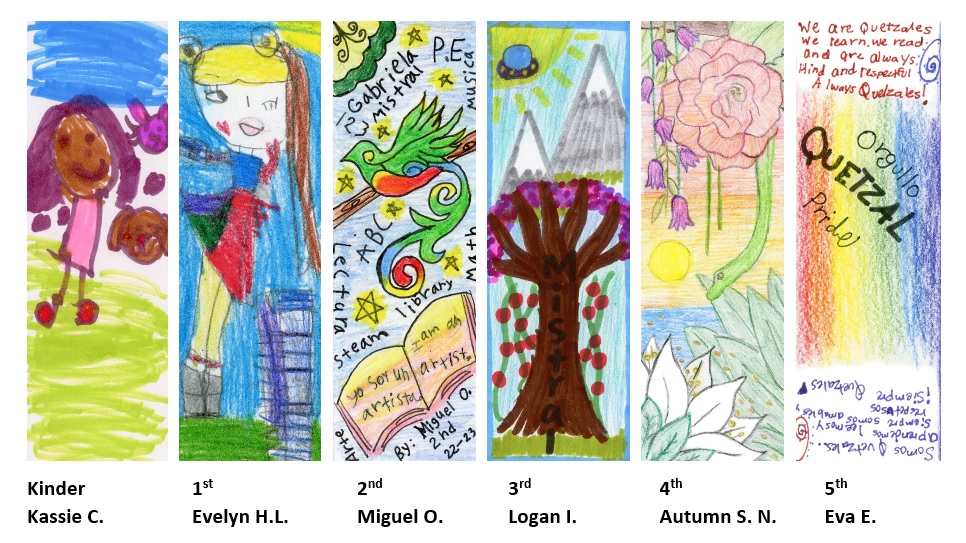
Congratulations to the winners of Mistral’s first bookmark competition! We had lots of excellent submissions and it was tough for our judges, Ms. O and Ms. Love, to make the final determination. The winning bookmarks will be distributed during the Mistral Readathon, January 30-February 12. Thanks for all the submissions and excitement for our school!
Mistral PTA Walkathon is our community’s biggest fundraising event of the year. All proceeds from this joint PTA-sponsored event go directly towards student field-trips, school library books, school gardens and other classroom enrichment programs for both of our schools. Individual student pledges will be allocated to each student. We hope this shared community fundraiser will be an opportunity for everyone to gather and enjoy the afternoon while supporting our school.
A little more about our Walkathon (WAT)… Students are encouraged to raise money by collecting pledges from friends and family for walking laps around the school field. Students can collect cash or check using our paper sponsor form or online by sharing their custom web page . More information on both options below. At the Mistral WAT students are able to make a concrete contribution to the school while having fun by being active and building community.
To put on this wonderful community event, we need an army of volunteers. Here are the teams that come together: Food, Field Logistics, Volunteer Recruiting, Lap Prizes, T-shirts, Lap Monitors,etc. Details about how to help out are posted on Konstella.
Sign your child’s permission form online – a must for your child to participate! Walkathon – Permissions English
99Pledges is our online WAT pledge system, which will allow Mistral students to request and collect pledges from friends and family who would like to donate online with a credit card or PayPal. Each student can create a custom web page to share with potential donors via email or social media. Donors simply click the child’s unique web page and make a pledge in a few easy steps. Parents and kids can monitor progress toward their fundraising goals and easily send thank-you emails from the site. Go to 99pledges now!
This is a free online platform that allows your family to take full advantage of web and social media to make our Mistral Walkathon fundraiser more successful. Allowing for online donations can greatly increase the range your student has to ask for and accept donations!
How to register on 99Pledges:
When your friends and family open the link to your student’s donation page they will be able to make a secure online donation in your student’s name using a credit card. Your student will be given immediate email notification of the donation and credit for the donation. You can even send a thank you email right from your 99pledges page! Donations may be collected all the way through December! No personal student information will be on the pledge pages. No photos and no last names! Donation pages are only visible to whomever you send your Mistral Pledge link to.
Walkathon T-shirts will be distributed in the student’s classroom the morning of the walkathon. Did you donate $10 for your child’s t-shirt? If not, do so now! $10 WAT T-shirt Donation
Those students who wish to use the hard-copy green sponsor form may absolutely do so! Students may also submit a combination of online donations with the green sponsor form (remember to include checks and cash) to the Mistral office. Extra forms are in the Mistral office.
Do donors need to log into Google or have a 99pledges account?
No. Donors simply click the link that you share with them to be guided through a few simple screens to make a payment.
We can’t find our 99pledges URL to share. What do we do?
Simply log in to My 99pledges and click the Share button to see your URL again.
I think I’ve found a “technical bug” in Mistral 99pldge. What should I do?
Please report it by clicking on the green Help button on the bottom-right side of any 99pledges page.
How do I delete my child’s page?
If donations have been made to your child’s page, then we cannot delete the page until all accounting for the Walkathon is complete. After that time, our 99pledges administrators will delete the page. If no donations have come in from that page when you request to delete it, the 99pledges administrator can delete the page immediately.
When will my credit card be charged?
Donors will be charged right away. Funds will be available to Mistral to use within 3 days of donating!
Where can I find the link to my child’s page?
You will receive an email with the information. Another way is to copy the link in the address bar after you’ve added your child to 99Pledges and have been directed to their personal page. The link is also located under the social media logos.
Do sponsors need to leave a tip when they make a pledge?
NO. 99Pledges makes it look like you have to leave a tip. You DO NOT. When making a donation, please choose “Other” and manually enter .0 and no tip will be added.
This event which takes place the day before classes start is a “must” for all Mistral families. At the posting event, parents get to see which classroom their child has been assigned for the year, enjoy food and music, connect with classmates and families, sign up for PTA, classroom volunteer opportunities and more. At the event you can also make your annual PTA and MVEF donations.
We take the guesswork out of what to buy for your child’s school bag or backpack. Instead of purchasing supplies individually, the teachers will purchase everything the students will need for their class. We ask all parents for a (tax deductible) donation to cover the cost of school supplies.
Tuesday, March 31, 2026
Martes, 31 de marzo, 2026
5:00 – 6:30 p.m. Mistral MUR
¡Por favor, complete los formularios de inscripción en papel o en línea antes del jueves 5 de marzo de 2026!
Please complete paper or online registration forms by Thursday, March 5, 2026!
Para leer esta información en español, haga clic aqui.
The Science Fair is a PTA sponsored enrichment event open to K-5 students. Students work on a science or engineering project of their choice and make a poster about it. On Science Fair Night, students share their projects with the school community. A scientist-parent visits each poster and talks with the students about it. Every student receives a participation ribbon (no judged prizes). It’s a fun, confidence-building event!
Science fair isn’t just for those kids who already love science classes. Participating in the science fair can help all kids be confident about their ability to do and understand science. It will also help those kids grow into adults who can make good decisions about their health, the environment, energy use and other issues having to do with science.
You can register by returning the paper form to your teacher or by completing the online registration form. Links to the registration form are at the top of this page. We ask you to register for the Science Fair so that:
Information forms will be sent home via backpack and through Konstella approximately one week before they are due. Please indicate on your registration form if your child needs to find a team to work with. We also need parents to volunteer to lead teams after school. (See the Science Fair FAQ below for what lead parents do.) If you plan to participate in the Science Fair (even if someone else listed you on their team), please fill out a registration form.
If you miss the registration deadline, you can still do a project for the Science Fair – either individually or with a team that you organize yourself. Even if you are late, please submit a registration form.
If you are working on a team, you will need to find a time and place where all of you can meet. If you asked for help in forming a team when you registered, we will suggest a day of the week when all team members are available. Meeting outside at the picnic tables after school is often convenient for many teams. Please note that teachers will not be responsible for supervision after school. A parent must be present to supervise the team’s work.
Next, it’s time to think up a question about the world around us. There is no limit to what kind of question your team may ask. The important thing is that the kids are interested in it. At the bottom of this page is a list of possible project ideas from past Science Fairs. Projects don’t have to be complicated; in past years, some students have repeated an experiment from class, but using different materials.
Then, to explore their topic or question, the team should do a hands-on investigation. Here are some types of investigations that they might do:
Here are some useful links to more science project ideas and other information:
Now for the fun part: doing your project! Your team gets to be scientists and/or engineers. As you explore, experiment, and/or design to address your topic or question, try to use one or more of the science and engineering practices listed below:
Your science fair project is an opportunity to be a creative thinker and put your math skills into action. You will also practice your language arts, communication, and visual arts skills as you do your project and make your poster.
After (or better yet, while) doing the project, teams put together a poster or “project board” showing the question they asked, what they did, and the results. FREE tri-fold project boards are available thanks to the PTA and a grant from Synopsys. Boards can be picked up from the office any time starting approximately 3 weeks before the Science Fair. *Please write all team members’ names and grade levels on the back of your poster.*
This science fair blog has great resources for making your poster: http://www.stevespanglerscience.com/blog/science-fair-secrets/science-fair-911-display-boards/
On the afternoon of the Science Fair, kids should bring their completed posters to the MUR.
The entire Mistral community is invited to attend the Science Fair. Starting at 5:00, the event will feature:
Starting at 5:00, scientist volunteers will be talking to all participants about their projects, both in Spanish and in English, and handing out ribbons to those kids who are present. Kids should stand by their posters by grade level according to the schedule below. Check posted signs for the location of your child’s project (MUR or nearby classroom):
We hope you will come to the Science Fair, whether or not you did a project. Come see what your classmates did and get excited for next year!
If you have questions or want to volunteer, email Sarah Heilshorn.
Q. Why do you encourage working on teams?
A. Our goal is for every student who wants to participate in the Science Fair to have the opportunity. We encourage working together on teams of 2-4 students, with one parent leading each project. This allows more kids to participate because not every parent needs to lead a project. Plus, you make friends and have fun! Individual projects are also welcome.
Q. How do parents help with Science Fair projects?
A. For each team, the lead parent usually assists as follows:
– scheduling team meetings (usually 2 or 3 weekly meetings of about one hour)
– helping the kids to decide on a topic or question
– helping to gather materials
– providing support as the kids do their project
– helping the kids to make their poster (FREE tri-fold boards available in the office!)
Q. How do we find or form a team?
A. If your child needs to find a team, or if you can accept more members for your child’s team, please indicate this on your registration form. The Science Fair organizers will assign teams within a two-grade range, giving preference within the grade and classroom if possible. (If you have already formed a team, great! Let us know on your registration form.)
Q. Where and when can our team work on our project?
A. Teams will be able to meet outside after school at the picnic tables. When your team is assigned, you will be notified of a day of the week when everyone is available. Lead parents are expected to be present to supervise the team’s work. Of course you may also work together at other times, at someone’s house, at the park, etc.
Q. What kind of experiment should we do?
A. There’s no limit on what makes for a good science fair project. To get started, you could ask the kids about what they’ve learned in science class. Maybe those lessons will spark ideas for a project.
Q. What is the project board you mentioned?
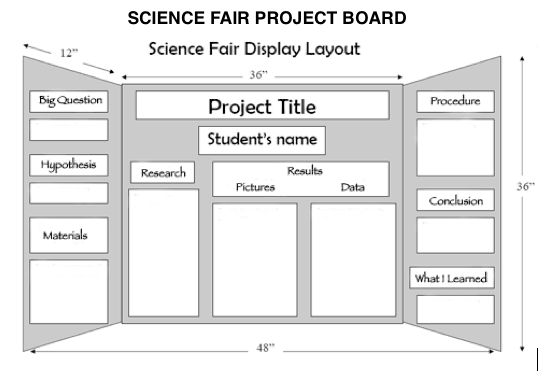
A. The project boards are white three panel poster boards with sides that fold in so that the projects stand up on their own. They are about 3 feet high and 4 feet wide. Boards are available to pick up for FREE in the office starting approximately 3 weeks before the Science Fair.
Q. What do we put on the project board?
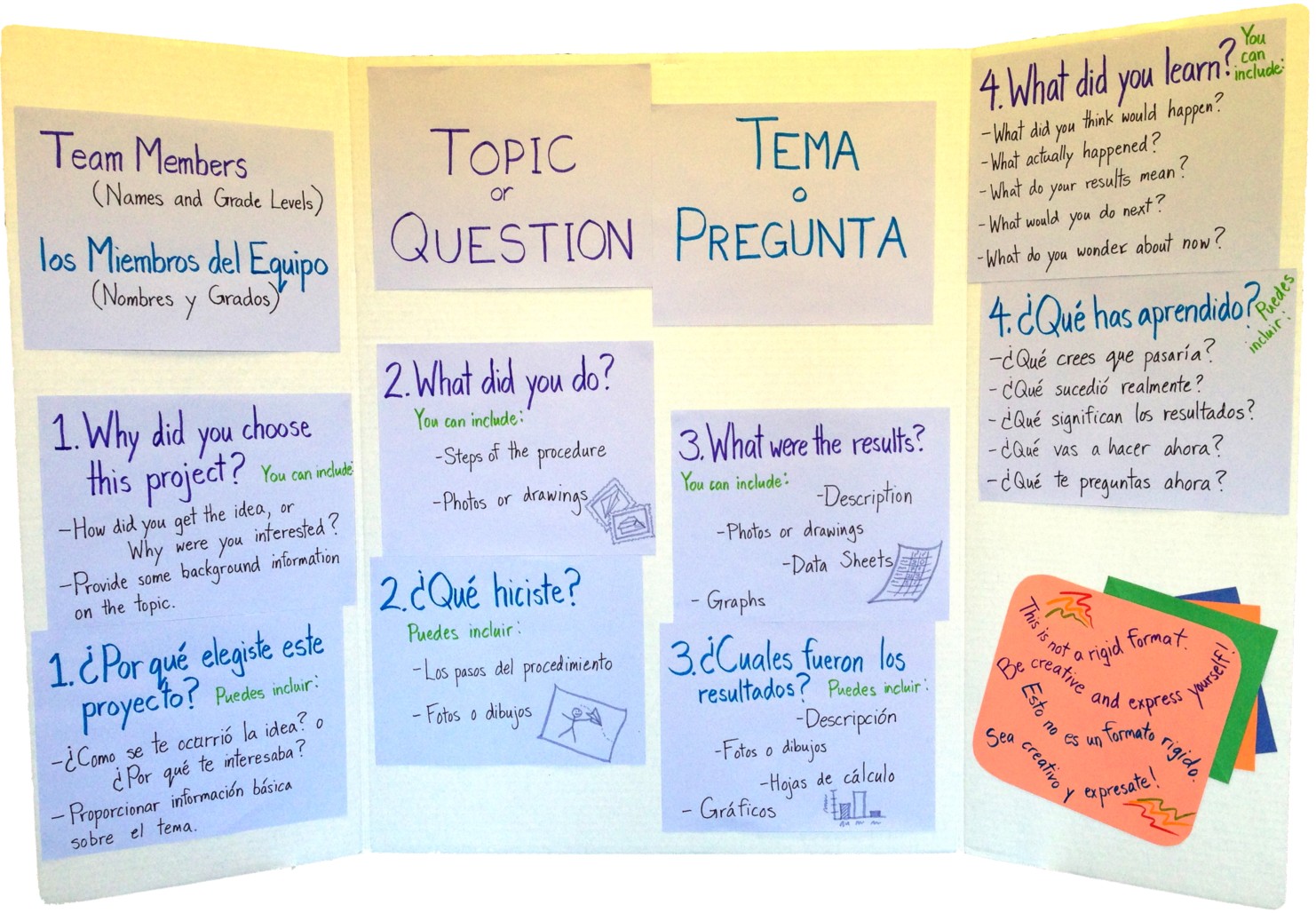
A. The project boards should include: 0) the kids’ names and grade levels; 1) a description of the question the kids asked; 2) a description, drawing or photos of how the kids carried out the experiment; 3) a description, drawing or photos of the results; 4) a description of what the kids learned; and 5) anything else the kids want to add that is relevant to the experiment. The boards should be assembled by the kids.
Q. How are the presentations judged?
A. Mistral parents and community volunteers who work as scientists will be coming around to talk to all teams about their projects, both in Spanish and in English. Be sure kids are at their boards at the right time so they can talk to a judge and get a ribbon.
Does food color change the taste of juice?
Does the kind of paper affect how a paper airplane flies?
What blades lift the most weight in a water turbine?
What bread molds fastest?
How much do my classmates know about sugar?
Which objects fall fastest?
Do bunnies like fruits or vegetables better?
Do different liquids mix?
What happens when I mix colors of paint?
What lego structures are strongest?
Which recipe of chocolate chip cookies tastes best?
Do you need to smell to taste?
What floats in different liquids?
What tin foil boat structure holds the most weight?
KINDER
VIDEO-1: https://youtu.be/ip051U7Rvds
VIDEO-2: https://youtu.be/EGgdCryC8Uo
TUTORIAL: https://studio.code.org/s/course1/stage/3/puzzle/2 Drag and Drop puzzle
GRADE 1
VIDEO-1: https://youtu.be/ip051U7Rvds
VIDEO-2: Play the video in the tutorial link.
TUTORIAL: https://studio.code.org/s/courseb-2018/stage/2/puzzle/1 Sequencing with Scrat
GRADE 2
VIDEO-1: https://youtu.be/tObb9pgtHNA
VIDEO-2: Play the video in the tutorial link.
TUTORIAL: https://studio.code.org/s/course1/stage/13/puzzle/1 Maze: Loops
GRADE 3
VIDEO-1: https://youtu.be/ip051U7Rvds
VIDEO-2: https://youtu.be/F8H-41bpJ6E
TUTORIAL: https://studio.code.org/s/coursed-2018/stage/11/puzzle/1 While loops in Farmer
GRADE 4
VIDEO-1: https://youtu.be/h9x8IPGN3SI
VIDEO-2: Play the video in the tutorial link.
TUTORIAL: https://scratch.mit.edu/projects/249143200/editor?tutorial=animate-an-adventure-game Animate an Adventure Game
GRADE 5
VIDEO-1: https://youtu.be/ip051U7Rvds
VIDEO-2: https://youtu.be/EGgdCryC8Uo
TUTORIAL: https://www.playcodemonkey.com/hour-of-code/trivia-chatbot/course#1 Python chatbot: variables, if elif else, for loop
NOTE:
1. K-G3 tutorials have audio support for non-readers. Click on the  at the top right of the screen.
2. K-G3 tutorials have language support for various languages. Click on the  dropdown at the bottom left of the screen and select Español or the language you want the tutorial in.
3. Other resources: https://code.org/ and https://hourofcode.com/us
|
EXTRAS:
|
||
| K-G3 | https://studio.code.org/s/playlab/stage/1/puzzle/1 | Play Lab |
| K-G3 | https://studio.code.org/s/courseb-2018/stage/9/puzzle/1 | Loops with Scrat |
| K-G3 | https://studio.code.org/s/coursec-2018/stage/12/puzzle/1 | Build a Flappy Game |
| K-G3 | https://studio.code.org/s/infinity/stage/1/puzzle/1 | Disney Infinity Play Lab |
| K-G3 | https://studio.code.org/s/sports/stage/1/puzzle/1 | Code your own sports game |
| G4-G5 | https://scratch.mit.edu/projects/editor/?tutorial=music&utm_source=codeorg | Make Music |
| G4-G5 | https://scratch.mit.edu/projects/editor/?tutorial=name&utm_source=codeorg | Animate Your Name |
| G4-G5 | https://studio.code.org/s/applab-intro/stage/1/puzzle/1 | Intro to App Lab, javascript |
| G4-G5 | https://studio.code.org/s/csd2-2018/stage/3/puzzle/3 | Code.org Web Lab, html |